PC gaming offers unparalleled customization, performance, and variety compared to other platforms. For beginners in 2026, entering this world might seem overwhelming with rapidly evolving hardware, numerous game choices, and technical considerations. This comprehensive guide walks through everything newcomers need to know, from selecting components to optimizing performance and discovering great games. With the right approach, anyone can build an enjoyable and future-proof gaming setup.
Why Choose PC Gaming in 2026
PC gaming provides unmatched flexibility and longevity. Unlike consoles with fixed hardware, PCs allow upgrades as technology advances, extending useful lifespans and maintaining performance without full system replacements. The platform hosts the largest game library, including exclusives, indie titles, and modifications that extend gameplay experiences significantly.
Multitasking capabilities make PCs valuable beyond gaming. The same system handles work, content creation, streaming, and studying efficiently. Keyboard and mouse controls offer precision advantages in many genres, while controller support accommodates different preferences. Cross-platform play connects with friends regardless of their gaming devices.
Cost-effectiveness improves over time. While initial investments may exceed console prices, upgradeability and versatility provide better long-term value. Sales on digital storefronts frequently offer substantial discounts, and free-to-play models provide extensive entertainment without upfront purchases.
Understanding PC Hardware Basics for Gaming
The central processing unit (CPU) handles game logic, artificial intelligence, and overall system performance. Modern gaming CPUs feature multiple cores and high clock speeds for smooth gameplay. Graphics processing units (GPUs) render images, effects, and animations. Dedicated graphics cards significantly outperform integrated solutions for demanding titles.
Random access memory (RAM) affects multitasking and loading times. Most gaming setups benefit from at least 16GB, with 32GB providing headroom for future titles and streaming. Storage solutions impact load times and installation capacity. Solid state drives (SSDs) deliver dramatically faster performance than traditional hard drives, making them essential for modern gaming experiences.
Motherboards connect all components while providing expansion options. Power supply units (PSUs) deliver stable electricity to the system. Quality units with appropriate wattage ratings prevent instability and protect expensive components. Cooling systems maintain optimal temperatures during intense gaming sessions, preventing thermal throttling and extending hardware longevity.
Building or Buying Your First Gaming PC
Prebuilt systems offer convenience and warranty coverage for beginners. Reputable manufacturers assemble and test complete systems, often including peripherals and software. This approach eliminates compatibility concerns and assembly risks while providing single-point support for issues.
Custom building provides better value and customization. Selecting individual components allows optimization for specific budgets and performance targets. Online configurators and compatibility checkers simplify the process for newcomers. Educational resources demonstrate assembly steps clearly, making the experience accessible even without prior technical knowledge.
Budget considerations influence decisions between prebuilt and custom options. Entry-level systems deliver excellent experiences for popular games at 1080p resolutions. Mid-range builds support higher settings and frame rates, while enthusiast configurations target maximum performance at 4K resolutions with advanced features like ray tracing.
Essential Peripherals and Setup Considerations
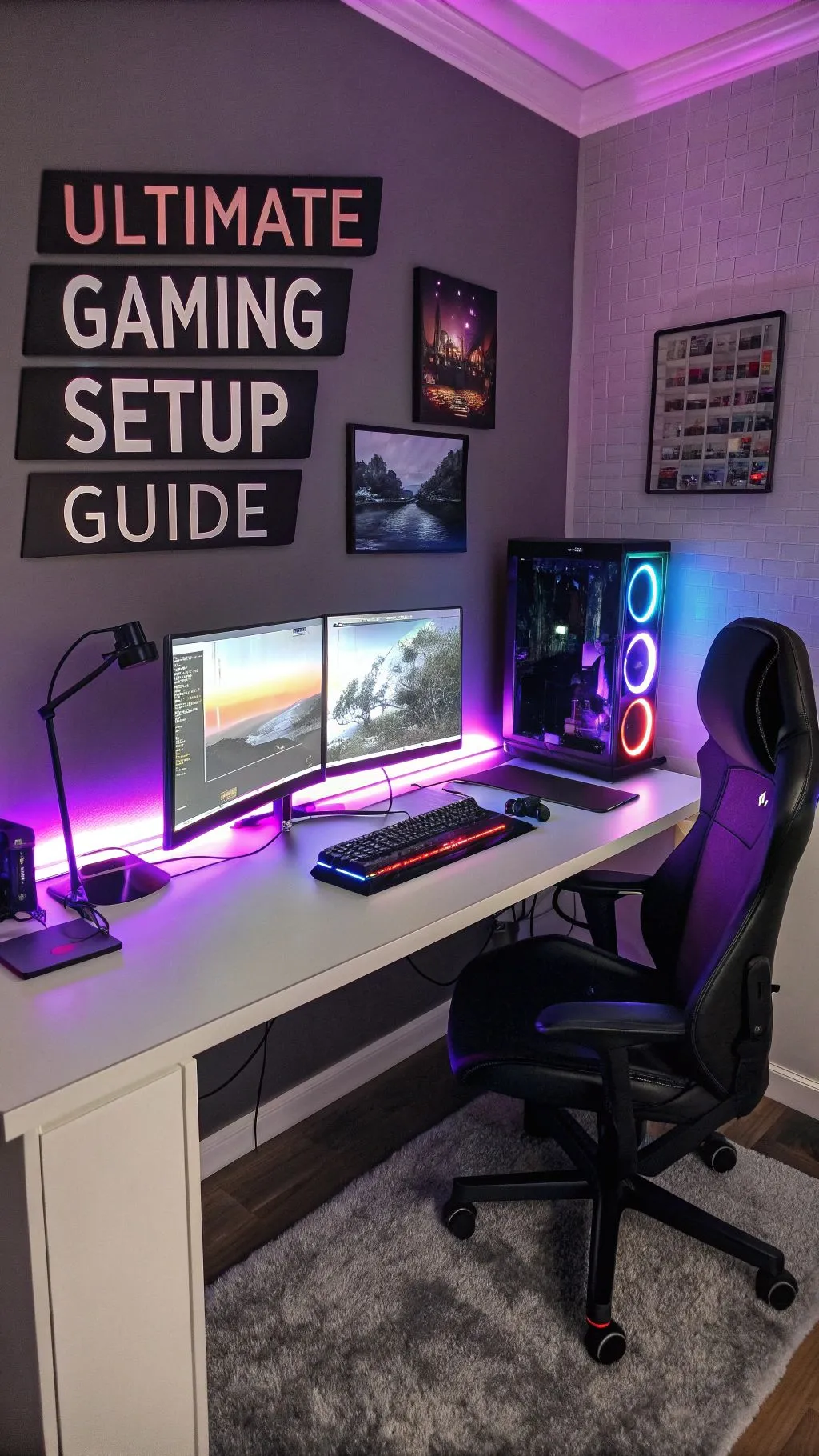
Gaming monitors significantly impact visual quality and responsiveness. Refresh rates of 144Hz or higher provide smoother motion while adaptive synchronization technologies reduce tearing. Resolution choices balance visual fidelity with performance requirements based on graphics capabilities.
Mechanical keyboards offer tactile feedback and durability advantages for gaming. Various switch types suit different preferences for typing feel and noise levels. Gaming mice provide customizable buttons, adjustable sensitivity, and ergonomic designs reducing fatigue during extended sessions.
Headsets or speakers deliver immersive audio experiences crucial for competitive play and atmospheric single-player games. Comfortable designs with good microphone quality support communication in multiplayer titles. Comfortable seating and proper desk setup prevent physical strain during longer gaming sessions.
Popular Game Genres and Recommendations for Beginners
Action-adventure games introduce storytelling and exploration through engaging narratives and varied gameplay mechanics. Titles featuring compelling characters and beautiful worlds help newcomers appreciate gaming’s artistic potential while developing basic controls familiarity.
Strategy games develop planning and resource management skills through turn-based or real-time decision making. These titles offer intellectual challenges suitable for different experience levels and play styles.
Multiplayer online battle arena (MOBA) games and battle royales provide competitive experiences with learning curves accommodating newcomers through tutorial systems and matchmaking based on skill levels. Cooperative games allow playing with friends regardless of experience differences.
Optimizing Performance and Troubleshooting Common Issues
Graphics settings adjustments balance visual quality with smooth performance. Most games include preset configurations for different hardware capabilities. Gradual tweaking helps find optimal settings for individual systems.
Driver updates ensure compatibility and performance improvements. Both graphics card and motherboard manufacturers regularly release updates addressing bugs and adding features. Automated tools simplify this maintenance task.
Temperature monitoring prevents overheating issues affecting performance and longevity. Quality cooling solutions and proper case airflow maintain safe operating conditions during demanding games. Cleaning dust accumulation periodically preserves cooling efficiency.
Building a Gaming Community and Continuing Education
Online communities provide support, recommendations, and social connections for gamers at all levels. Forums, social media groups, and streaming platforms offer opportunities to learn from experienced players and share experiences with others.
Content creators demonstrate techniques, game recommendations, and hardware reviews helping newcomers navigate options effectively. Following reputable sources provides ongoing education about industry developments and optimization strategies.
Local gaming events and esports offer opportunities for in-person connections and competitive play. Many communities welcome beginners and provide structured environments for learning and enjoyment.
Maintaining Balance and Healthy Gaming Habits
Setting time limits prevents gaming from interfering with responsibilities, relationships, and physical health. Regular breaks following the 20-20-20 rule—looking 20 feet away for 20 seconds every 20 minutes—reduce eye strain. Proper posture and ergonomic setups minimize physical discomfort during extended sessions.
Diversifying activities maintains healthy balance between digital entertainment and real-world experiences. Physical exercise, social interactions, and creative pursuits complement gaming rather than competing with it. Using games as rewards for completed responsibilities reinforces positive habits.
Parental controls and family discussions help younger gamers develop responsible habits. Setting clear expectations and modeling balanced technology use creates healthy environments supporting both enjoyment and development.
The Future of PC Gaming
Technological advances continue expanding PC gaming possibilities. Cloud gaming services reduce hardware requirements while improving accessibility. Virtual and augmented reality create immersive experiences previously impossible. Artificial intelligence enhances non-player character behaviors and generates dynamic content.
Cross-platform play connects communities across different devices. Modding communities extend game longevity through user-created content. Independent developers bring innovative experiences challenging traditional industry models.
Sustainability considerations influence hardware design and consumer choices. Energy efficiency improvements and recyclable materials address environmental impacts of gaming technology. Community awareness drives industry changes toward more responsible practices.
Conclusion: Starting Your PC Gaming Journey
PC gaming offers incredible opportunities for entertainment, social connection, and personal challenge. Beginners benefit from starting with appropriate hardware, learning basic optimization techniques, and exploring diverse game genres matching their interests. The platform’s flexibility and upgradeability provide excellent long-term value compared to other gaming options.
Take time selecting components or systems matching budgets and performance expectations. Invest in quality peripherals enhancing comfort and immersion. Join communities for support and recommendations while maintaining healthy balance with other life activities.
The PC gaming world welcomes newcomers with open arms. Countless titles await discovery, communities offer friendship and knowledge, and technology continues evolving to create new experiences. Embrace the journey with curiosity and patience—your perfect gaming setup and favorite games are waiting to be discovered.
Read more – amherstdelivery.com